

Web application, PWA or native app: choose from the task
A fictional maintenance service shows how to structure requirements, test exclusions and account for the whole product lifecycle.
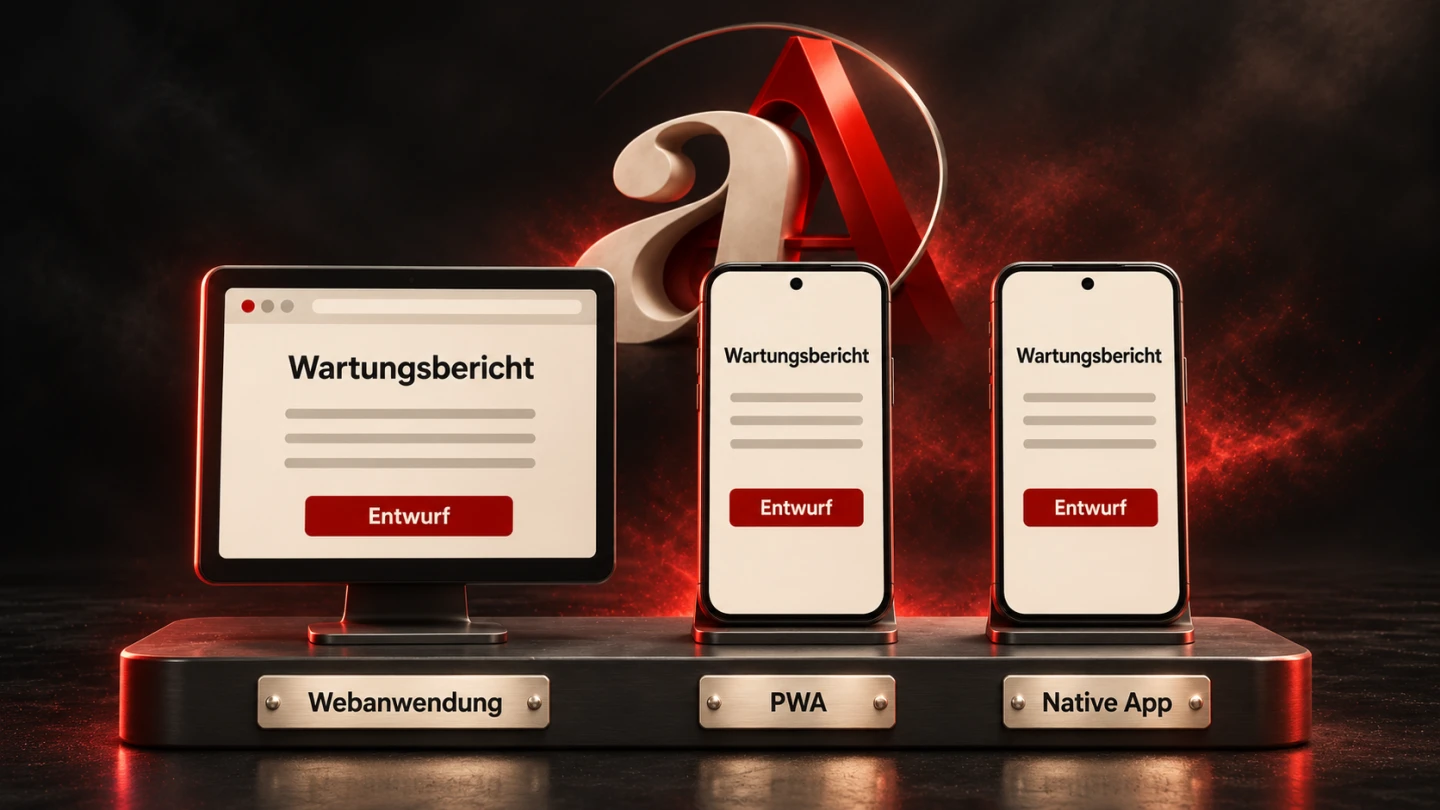
“We need an app” initially expresses a wish for a product. It does not establish that the product requires installation. An appointment portal may work very well through a direct link. A frequently used reporting application may benefit from its own launch icon. A tool with specialised device requirements may need closer platform integration.
This guide develops a decision around a fictional maintenance service. Its customers want to view appointments. Employees record maintenance reports while travelling. These examples are planning exercises rather than documented customer projects. Technical sources were checked on 9 November 2026. Before implementation, verify platform support against the devices people will actually use.
1. Put the task before the product form
Start with a sentence describing the intended outcome: “An employee must be able to complete a maintenance report during a temporary loss of connectivity.” That sentence establishes a requirement. “We will build a PWA” already chooses a technical direction without demonstrating its suitability.
Then separate the user groups. Customers might open an appointment link twice a year. Employees may work with reports every day. The same business may need different entry points for these groups. A shared data source does not require identical interfaces or identical distribution.
Describe how each group enters the service, performs the task and reaches a meaningful conclusion. Reporting does not end when somebody finishes typing. The employee must know whether the input was saved and whether the office has received it. This business feedback belongs in the product decision.
A clear requirements description for a business website provides a useful starting point. Extend it with the recurring operational workflows. A defined set of tasks prevents an installation feature from being treated as a substitute for a functioning process.
2. Distinguish the three terms
A web application is interactive software built with web technologies. It might manage appointments, edit reports or provide documents. Responsive presentation helps accommodate different screen sizes. By itself, it says nothing about offline capabilities or installation.
A PWA also uses web technologies. The MDN introduction to Progressive Web Apps explains the app-like experience. In planning, always supplement the term with the specific capabilities being promised. An icon on the home screen does not demonstrate reliable reporting without a network connection.
A native app uses development tools for a particular platform. Cross-platform and embedded approaches also exist. The technical landscape therefore contains more than three completely separate boxes. The three terms remain useful for an initial discussion if the actual architecture is subsequently documented.
When reviewing a proposal, ask which interfaces contain web content, which parts use platform capabilities, where data is processed and who updates each component. Precise answers provide more useful information than a product label covering several different architectures.
3. Build a requirements matrix
| Requirement | Question to resolve | Useful evidence |
|---|---|---|
| Direct access | Can a new customer start without installation? | Complete workflow through a received link |
| Regular use | How do employees find the tool again? | Launch and sign-in on the intended device |
| Disconnected work | Which data and input operations remain available? | Network disabled during a realistic task |
| Device capability | Which precise camera, file or interface operation is required? | Functional prototype on the target device with permissions |
| Distribution | Link, managed installation or store? | Documented installation and update path |
| Operation | Who fixes failures after a platform update? | Named responsibility and maintenance agreement |
This table is an editorial planning aid rather than a universal ranking. Add the significance of each requirement for the actual project. Many convenient extras must not mathematically compensate for failure to support an indispensable operation.
Record assumptions as well. “Most employees use current Android devices” is not a dependable foundation without an inventory. Device models, operating systems, browsers and management policies may substantially change the suitability of an initially plausible solution.
4. Check exclusions before assigning scores
The maintenance service might depend on connecting to a particular measuring instrument. If one technical approach cannot establish that connection on the deployed devices, it is unsuitable for that workflow. An unusually quick initial interface does not resolve the missing capability.
Evaluate device access at the level of the actual interface. “Bluetooth is supported” is too vague. The relevant details include the device, protocol, required operations, permissions and application state while the connection is active.
The same reasoning applies to background work. “Uploads happen automatically” must be tested against a locked screen, a terminated process and power-saving conditions. Without these boundaries, a product promise can sound stronger than the platform actually permits.
A small technical experiment should first resolve the most uncertain indispensable capability. Avoid a prototype demonstrating only an attractive opening screen. A modest device-connection test may contribute much more to a sound decision.
5. Treat installation as a separate workflow
Installation can make repeated access easier. It also creates an additional task. People must understand the offered route, recognise the correct product and possibly obtain approval from whoever manages their device.
The MDN guide to installability shows that requirements and user journeys vary across browsers and platforms. A manifest and secure delivery are central parts of the described PWA configuration. The guide explicitly separates installation from a universal requirement to use a service worker.
Do not plan an identical installation button everywhere without evidence. Test the intended journey on the relevant devices. Also establish how people remove the application later and where they obtain help if setup fails.
For occasional customer appointments, immediate browser access may be the more appropriate service. Daily operational work may justify a clearly explained installation journey. This is a question about usage and support, rather than simply the number of technical features available.
Where devices are centrally managed, involve that management process early. A technically supported installation may still be unavailable under the organisation's actual configuration. Approval, distribution and support should form a coherent route that employees can follow.
6. Offline means more than a loaded interface
An interface can appear without connectivity and still be unusable for its business purpose. Today's jobs may be missing. A report might be editable without being durably saved. Old customer information might appear without an understandable indication of its age.
The MDN guide to offline and background operation describes several web mechanisms. Their existence does not provide an automatic complete solution. Available information, saved input and subsequent transmission require deliberate design for each project.
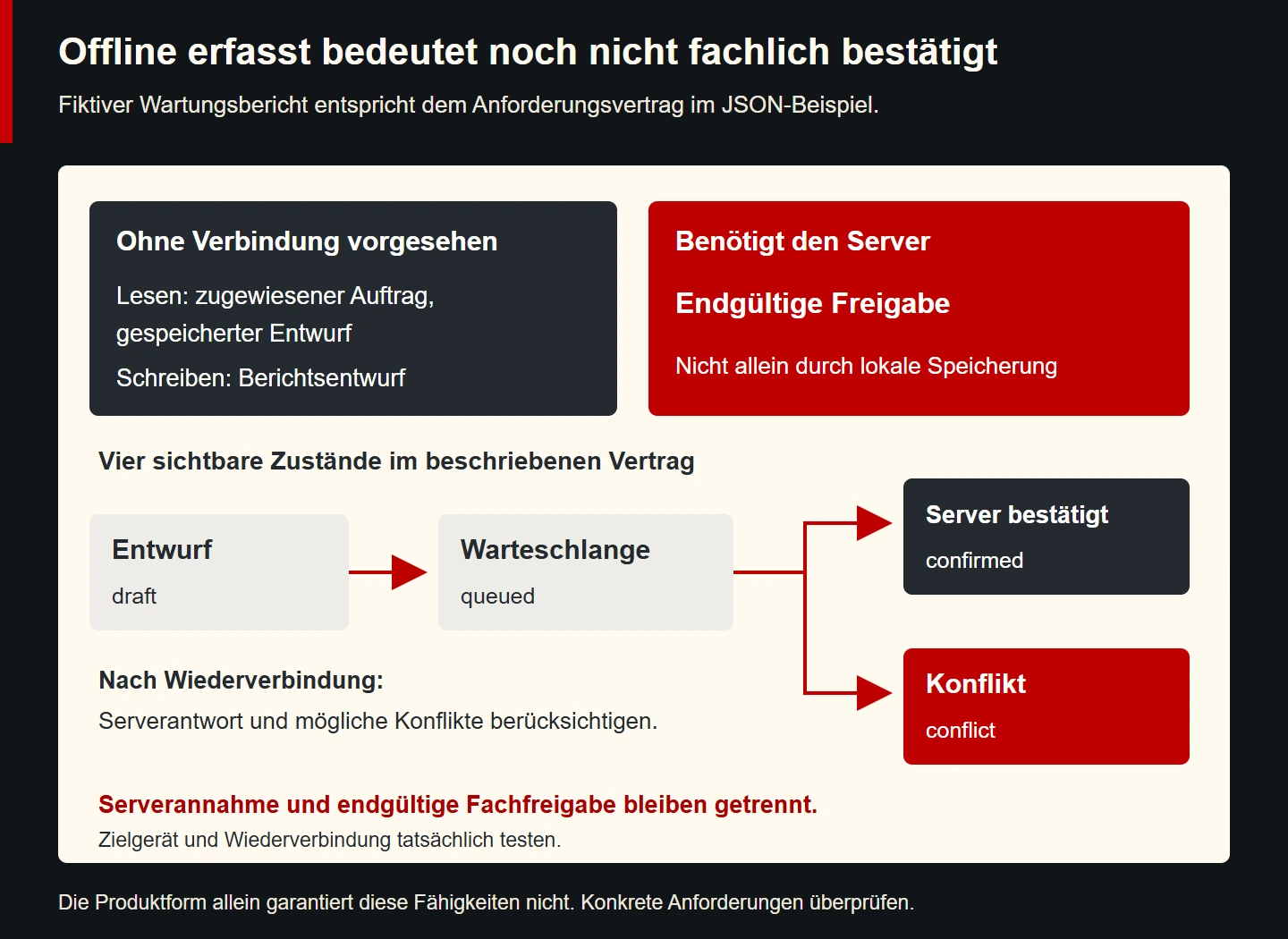
Define reading and writing separately. A prepared maintenance job could remain readable offline. A binding appointment reservation might require a current server check. An understandable restriction is preferable to an apparently successful action that later has to be withdrawn.
Native applications require these business rules too. The Android documentation on offline-first applications addresses the data layer and coordination between local and remote sources. Installation does not replace rules for freshness and conflicting changes.
Consider the first disconnected launch as well as a later interruption. Information that has never reached the device cannot simply be retrieved from an earlier cache. The service should explain the relevant situation accurately rather than displaying an indefinite loading indicator.
7. Separate transmission from business completion
For the maintenance example, at least three states are useful: draft on the device, queued for transmission and confirmed by the server. Their wording must match the implementation. A saved draft is not yet a report available to the office.
Next consider repeated sending. An unreliable connection can lose a response even though the server has already received the report. Without suitable handling, duplicate business records could result. A unique operation identifier and defined server handling for repeated requests therefore belong in the architecture.
Conflicts require a business decision. If an employee and the office both change the same appointment, establish which update is accepted or whether somebody must resolve the difference. “The last version wins” sounds simple but may overwrite an important correction.
These questions apply to every product form. Make them visible in the proposal and acceptance criteria. A list of screens alone captures only part of the work needed for dependable synchronisation.
For particularly consequential actions, distinguish a technical acknowledgement from the final business decision. A request arriving at the server might still await a supervisor's approval. The interface should name the actual stage rather than collapsing every successful network response into “completed”.
8. Write a small requirements contract
The following JSON is an original planning structure for a fictional workflow. It is not a web manifest or an executable synchronisation system. It makes business expectations inspectable while keeping them separate from the eventual technical implementation.
{
  "workflow": "maintenance-report",
  "offline": {
    "read": ["assigned-job", "saved-draft"],
    "write": ["draft-report"],
    "requiresServer": ["final-approval"]
  },
  "visibleStates": ["draft", "queued", "confirmed", "conflict"],
  "releaseEvidence": ["target-device-test", "reconnect-test"]
}
In this model, final approval remains dependent on the server. A draft may be created without connectivity. After reconnection, a separate test must establish whether the workflow continues understandably. The structure does not specify encryption, a database or particular transport protocols.
Use a document like this during discussion between operational staff and developers. An ambiguous state can be corrected early. Later, each entry can become a specific acceptance step with observable results.
Keep the contract versioned with the product requirements. If final approval later becomes available through another route, update the expected behaviour and relevant tests together. Otherwise the development team and operational staff may rely on different understandings of the same feature.
9. Justify platform integration precisely
A native implementation can be appropriate when indispensable workflows rely closely on platform capabilities. Ground the decision in demonstrated requirements. A general desire for a “real app feeling” is too vague to provide that justification.
Conversely, a web application does not have to consist solely of basic forms. Examine the actual interactions and their support. Good usability follows from clear workflows, appropriate feedback and careful implementation.
Intermediate approaches deserve the same scrutiny. The Android documentation on embedded web content, for example, distinguishes ways to integrate web content into applications. An embedded browser does not automatically provide all the characteristics of a completely platform-specific interface.
For mixed architectures, document the boundary between components. Which part handles navigation, authentication and file selection? Which component updates independently? These transitions particularly need concrete tests and unambiguous ownership.
Ask suppliers to explain the implications of their approach in ordinary product terms. Employees need to know whether an update interrupts work, whether a report can be recovered and where support begins. Architecture should help answer those questions.
10. Plan discovery and access separately
Public information and protected operational workflows serve different purposes. Service descriptions should be reachable through search engines and direct links. Customer records require controlled access. A fully protected portal therefore does not replace public explanations of the service.
Decide which information deserves a separate public page. Use understandable titles and stable addresses. Explain the application's value to people who have not yet used it. An installation request alone does not explain a product.
For existing users, dependable links to particular records are useful. Check authorisation and understandable error states. Knowledge of a forwarded link must not by itself grant access to somebody else's reports.
Whether and how to distribute through an app store is an additional decision. Establish the actual publishing route and applicable conditions. Neither the label PWA nor the label native app provides a blanket promise of admission.
Also decide what a recipient sees when the relevant application is absent. A link could lead to a public explanation, an authenticated browser workflow or installation guidance. The intended fallback should be designed and tested rather than left to chance.
11. Treat security as a product responsibility
Installation does not demonstrate security. Equally, running through a browser does not inherently make an application insecure. Relevant considerations include authentication, server-side authorisation, data handling, device storage and maintained dependencies.
The maintenance service must define which reports an employee may access. Enforce that answer on the server rather than solely hiding buttons. A lost device and a departing employee also need a defined operational response.
Offline data extends the scope of the review. Establish which information remains on a shared device. Test sign-out, account switching and removal of intended temporary storage. A visible sign-out message alone does not prove that all stored information has disappeared.
List device permissions individually. Request them in an appropriate context and explain their specific purpose. Denial requires an understandable response. Data-protection obligations also need assessment for the actual deployment.
Keep operational ownership explicit. If access must be revoked, somebody needs the authority and practical means to do it. A security setting that nobody knows how to operate is a weak foundation for a business workflow.
12. Estimate the entire lifecycle
| Work area | Planning question | Frequently overlooked element |
|---|---|---|
| Product development | Which workflows belong in the first release? | Error states and data conflicts |
| Device testing | Which combinations are supported? | Older devices actually in use |
| Release | How does a version reach people? | Recovery from a faulty change |
| Operation | Who responds to failures? | Restoration and understandable support |
| Further development | How do interfaces remain compatible? | Different versions active simultaneously |
Avoid unsupported cost formulas such as “A PWA costs half as much.” Without scope, platforms and an operating model, that number would mislead. A sophisticated offline process can be more demanding on any platform than a simple online application.
Ask for proposals structured around comparable outcomes. Use the same core task and acceptance conditions as the foundation. Only then can differences in implementation and maintenance be assessed meaningfully.
13. Decide through a focused prototype
For this example, a useful experiment is report entry on an actual employee device. Begin with the required job information available. Disconnect the network, edit a draft and close the application. On reopening, verify the agreed behaviour.
Then restore connectivity. Observe status changes, repeated requests and potential conflicts. Also test expired authentication. An interface remaining visible must not imply that every server action is still available.
Record findings with the device, operating system, browser or app version and date. Success on a development computer does not establish support across all intended devices. Missing evidence should remain visible in the decision.
The outcome might be a customer web application and a separate employee solution. It might instead be one shared web application with selected enhancements. What matters is demonstrated suitability for the respective tasks.
14. Product decision checklist
- Are user groups and complete core tasks described?
- Are indispensable device capabilities and exclusion criteria explicit?
- Are supported devices and management conditions known?
- Is offline behaviour separately defined for reading, writing and confirmation?
- Are draft, transmission and acknowledgement states understandable?
- Have installation, authentication, updating and removal been examined?
- Are permissions and stored data handled predictably?
- Are operation, support and future platform changes included in planning?
- Does a focused prototype demonstrate the most uncertain core requirement?
Use this list to support discussion. Each checked item should point to an actual description or reproducible experiment. A general assurance without a defined scope provides little help during acceptance.
15. Frequently asked questions
Is a PWA automatically usable offline?
No. The information and operations available without connectivity must be developed and verified. Installation and offline behaviour are separate characteristics. A visible opening screen does not demonstrate a complete operational workflow.
Is a native app always faster?
That statement is too broad without a specific task and measurement. Data access, rendering, connectivity and implementation affect perceived speed. Compare the decisive workflows under documented conditions on the target devices.
Can the product form change later?
A change should be treated as a separate development project. Well-separated business rules and documented interfaces can help. Interfaces, device states and distribution still require reassessment. Do not assume a guaranteed lossless conversion through a single action.
Which option suits a small business?
Business size alone does not decide the answer. Frequency of use, necessary capabilities and available support are more informative. Begin with the smallest scope that reliably performs the core task and can be operated responsibly.
A dependable decision connects the task, technical evidence and operational capability. That connection can be reviewed later when devices change, workflows evolve or additional user groups join the service.